Scheduled posts
By default, an event is posted to Discord as soon as it's published. With a scheduled post, you can choose a future time for Apollo to post the event, which is useful when you want to create events ahead of time without posting them right away.

Customizing the post time requires an active Premium membership.
Schedule a post from the dashboard
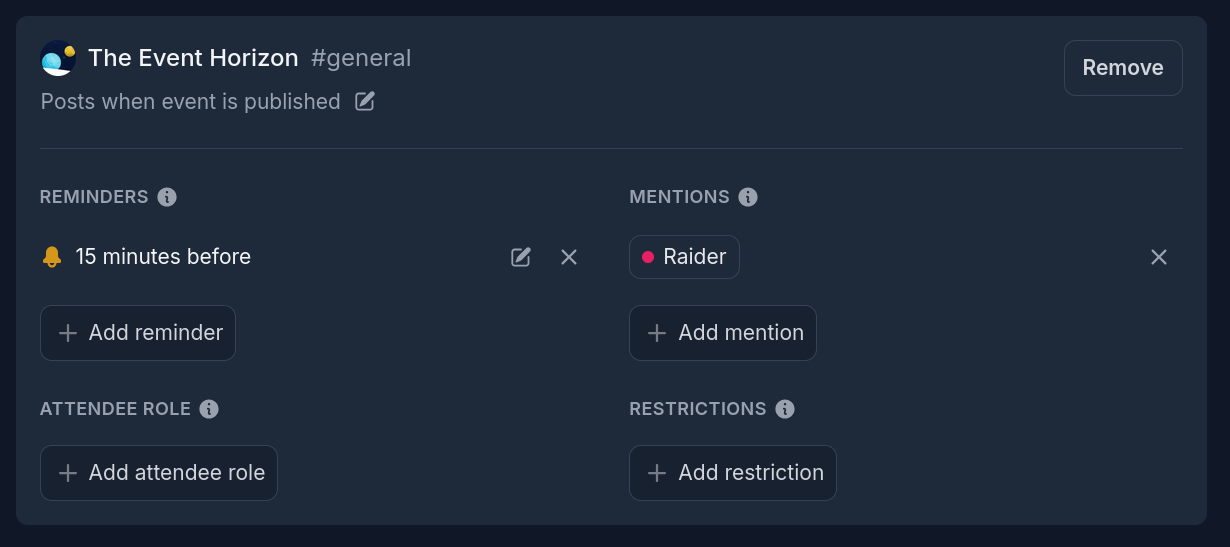
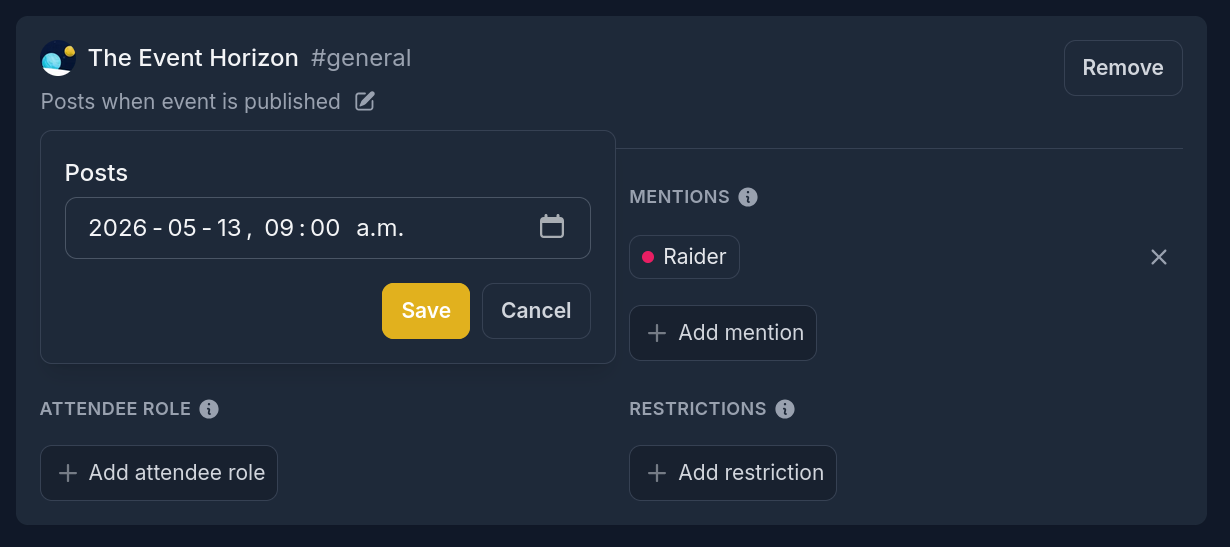
When creating or editing an event on the dashboard, the connection card includes a post time setting.
By default this reads Posts when the event is published. Click the text to choose a custom post time.
Edit a scheduled post
You can change the post time at any point before the event posts to Discord.
On the event details page, the connection card displays the scheduled post time (for example, Posts Monday June 6th at 8:00 AM). Click the text to change it.
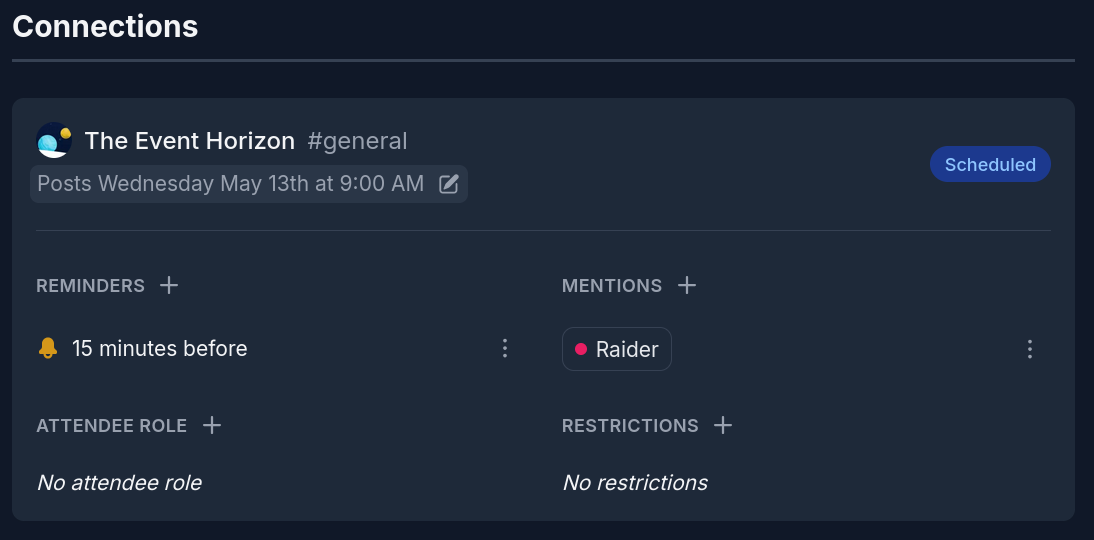
Once an event has been posted to Discord, the scheduled post time can no longer be changed.
Schedule a post from Discord
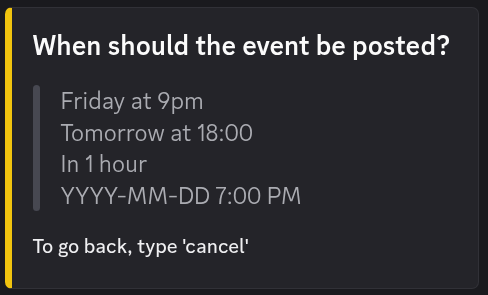
When creating an event with the /event command, the final step includes a
Schedule when the event is posted option. Selecting it opens a prompt that
accepts the post time in natural language (for example, next Friday at 9am
or June 6 at 8:00).
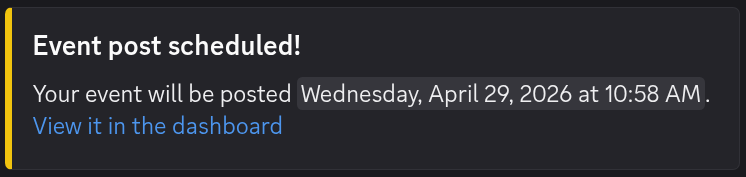
After the event is created, Apollo will send a confirmation message that includes the scheduled post time and a link to the event on the dashboard, so you can view or edit it before it's posted.
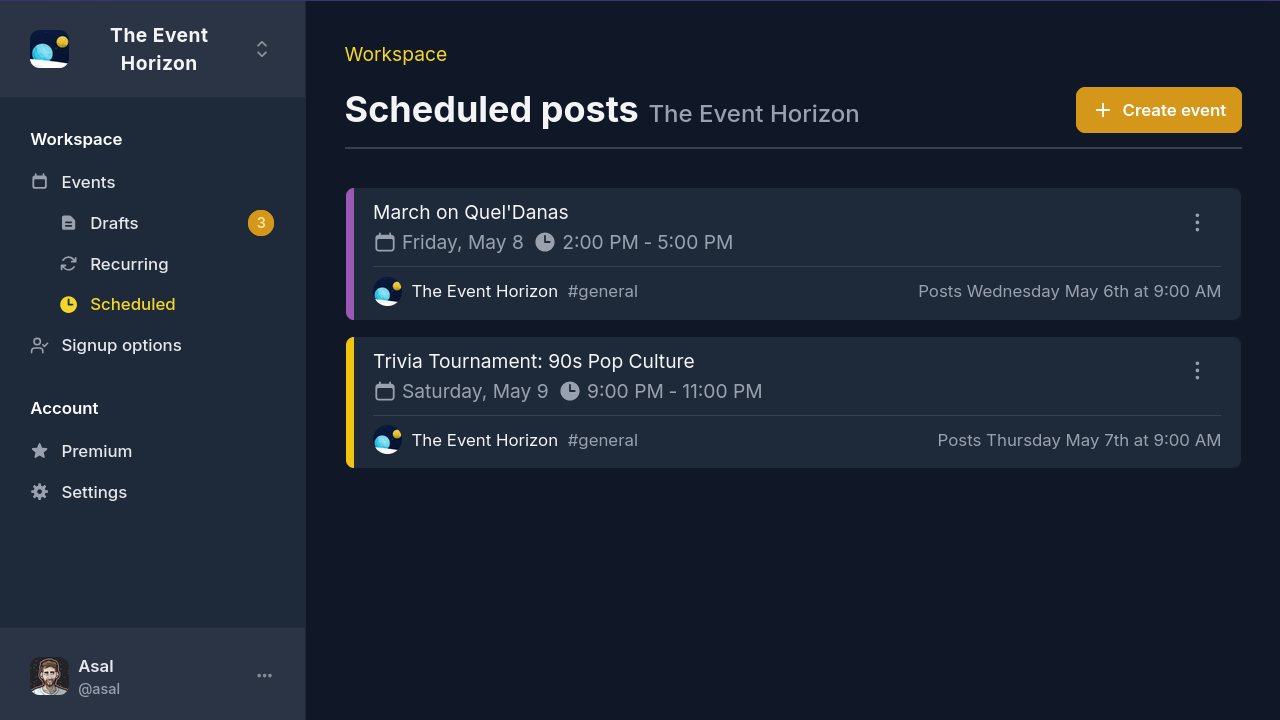
The scheduled posts page
The Scheduled posts page on the dashboard lists every event with a scheduled post that hasn't been sent yet. Events are ordered by post time, with the next post to go out at the top.
When a post fails
If Apollo can't post a scheduled event due to a Discord issue or another external factor, it will retry up to three times. If all attempts fail, Apollo will send you a Discord message to let you know, and you can post the event manually from the event's page.